
TLDR
- Need the deck tonight? Paper slips in sleeves win. Your printer can’t betray you if you never ask it for help.
- Want a “real deck” feel for regular games? Print-on-demand is the most durable, consistent option (and the least arts-and-crafts).
- Testing a bunch of versions fast? Home printing is the middle ground, decent readability, decent speed, decent amounts of paper everywhere.
- Playing sanctioned events? Bring real cards. Judges can issue limited event-only proxies for damaged cards, you can’t self-print those.
- The social meta matters: announce proxies up front, keep them readable, and don’t make anyone squint across the table like they’re decoding ancient runes.
This post helps MTG players proxy an entire deck responsibly by comparing paper slips, home printing, print-on-demand, and digital options, so they can get reps in without wasting money or making game night awkward.
If you want to proxy a whole deck in MTG, you’re really choosing between three things: speed, feel, and how much you enjoy cutting paper. The good news is that all the common methods work. The bad news is that some of them work like a shopping cart with one bad wheel.
First, a quick reality check (sanctioned vs casual)
ssanctioned Magic events require authentic cards, with limited judge-issued proxy exceptions when a real card becomes damaged during the event. You don’t get to show up with 100 “judge-issued” proxies that you issued to yourself at home.
So the rest of this article assumes you’re proxying for casual Commander nights, kitchen table games, cubes, or playtesting.
How to proxy a whole deck in MTG without making it weird
Here’s the practical way to think about it:
- Paper slips are the fastest path to “deck exists.”
- Home printing is the fastest path to “deck is readable.”
- Print-on-demand is the fastest path to “deck feels like a real deck and survives repeated shuffling.”
- Digital playtesting is the fastest path to “no scissors, no sleeves, no problem.”
Let’s break those down.
Option 1: Paper slips in sleeves (the “tonight” solution)
What it is: Write the card name (and maybe mana cost) on paper, slide it into a sleeve in front of a basic land or bulk common.
Best for:
- Testing a new list quickly
- Budget builds that might change a lot
- “I need this deck for tonight and it’s already 6:17 PM” energy
Pros
- Fastest setup
- Cheapest setup (paper is still wildly available in 2026)
- Easy to iterate, just swap the slip
Cons
- Readability depends on your handwriting, which may be a hate crime against the concept of letters
- Doesn’t look or feel like real cards (obviously)
- If you don’t keep thickness consistent, you risk “marked card” vibes (even in casual, it’s annoying)
Paper slip upgrade tips
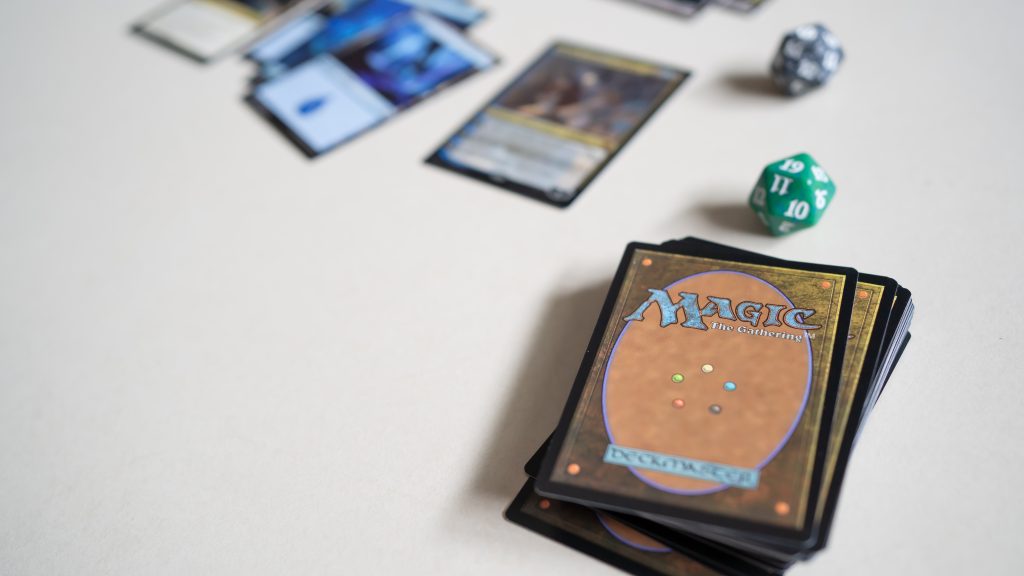
- Put a basic land behind every slip so thickness is consistent.
- Use opaque sleeves so the card back is never part of the discussion.
- Write full card names. “Teferi” is not a card name, it’s a lifestyle.
- Add one key line if the card is complex (“ETB: exile until leaves”) so you don’t stop the table every turn to Google your own plan.
This method is extremely effective, and extremely humbling.
Option 2: Home printing (the “readable deck” middle ground)
What it is: Print card images (or text-heavy proxies) on paper, cut them, sleeve them in front of real cards.
Best for:
- A full-deck proxy you expect to shuffle a lot
- Testing where you need clean readability across the table
- Pods that are fine with proxies but not fine with “what does your sticky note say?”
Pros
- Much more readable than slips
- Still cheap compared to buying the real deck
- Easy to update: reprint a page, swap a few sleeves
Cons
- Cutting 100 cards is a personality test
- Ink and alignment can vary
- If you mix paper types or thicknesses, you can accidentally create “I can feel my Sol Ring” problems
Home print best practices (keep it clean)
- Consistency beats perfection. Print the whole deck the same way.
- Avoid glossy photo paper unless you like stuck-together stacks.
- If your deck includes double-faced cards, decide your plan now: checklist-style placeholders, two-sided prints, or a separate “DFC pile” you swap in when needed. The goal is to keep hidden information hidden.
If paper slips are “it works,” home printing is “it works and other humans can read it.”
Option 3: Print-on-demand proxies (the “I want this to feel real” choice)
What it is: You submit a list (often a decklist), and a service prints a full set of proxies on card stock, cut to standard size.
Best for:
- Commander decks you play often
- Cubes and battle boxes
- Players who want consistent shuffle feel and durability
- Anyone who is done pretending they enjoy arts-and-crafts night
Pros
- Best durability and consistency
- Closest to “normal deck handling” in sleeves
- Great for a full 100-card proxy build where uniformity matters
Cons
- Costs more than paper methods (still usually far less than the real deck)
- Shipping time exists, which is rude but traditional
- Quality varies by provider (color, cut, finish, readability)
How to keep print-on-demand responsible
- Use proxies for casual play and testing, not to enter events that require authentic cards.
- Keep proxies clearly understood as proxies in your group.
- Don’t treat “looks real” as the goal. Treat “plays clean” as the goal.
If you plan to proxy a whole deck in MTG for months, this is the least annoying long-term path.
Option 4: Other options (when cardboard is optional)
Sometimes the best way to proxy a whole deck is to skip physical cards entirely.
Digital playtesting
- Great for testing lines, mulligans, and matchups fast.
- You can iterate a list ten times without printing anything except maybe your regret.
Borrowing, lending, or “staple boxes”
- If your group is proxy-friendly, sometimes the fastest move is still “can I borrow that one card for tonight?”
- If you proxy regularly, consider keeping a binder or box of “real staples” you move between decks, and proxy the rest. It’s not morally superior, it’s just another workflow.
Digital is the cleanest solution when your main goal is reps, not the tactile joy of shuffling.
Comparison table: which full-deck proxy method fits you?
| Method | Speed | Cost | Readability | Shuffle feel | Durability | Best use case |
|---|---|---|---|---|---|---|
| Paper slips + basic lands | Fastest | Cheapest | Low to medium | Medium (in sleeves) | Low | Same-day testing, rough drafts |
| Home printing + sleeves | Fast | Low | Medium to high | Medium | Medium | Iterating lists, week-to-week play |
| Print-on-demand | Medium | Medium | High | High | High | Regular decks, cubes, long-term builds |
| Digital playtesting | Fast | Often free | High | None | None | Rapid iteration, practice, theory work |
This is the whole game: pick your pain. Time, money, or scissors.
Full-deck proxy checklist (so your deck plays smooth)
If you’re proxying an entire deck, you’re not just making cards, you’re making a play experience.
Deck consistency
- Same sleeve brand and opacity across the whole deck
- Uniform thickness (every proxy has a backing card if needed)
- Clear card names on anything not full-art printed
- Tokens covered (proxy decks often spawn the weirdest token board states)
Gameplay clarity
- Include the exact card name and mana cost (at minimum)
- For complicated cards, include one-line reminder text (not a novel)
- Have a phone-ready list (or printout) so rules text checks are quick
Social clarity
- Tell the table before game one: “This deck is proxied for testing, readable, and sleeved. Everyone cool with that?”
- If someone says no, the correct response is not a courtroom speech. Swap decks or find a different pod.
Two scripts you can steal (Rule 0 but normal)
Quick pod script (friends or casual night)
“Heads up, this deck is fully proxied for testing. Everything’s readable and sleeved. Are we good with proxies tonight?”
Store or organizer script
“Hey, quick check, is this event proxy-friendly? I’ve got a proxied deck for casual play, but I don’t want to violate your rules.”
You don’t need to over-explain. If you sound like you’re about to negotiate a treaty, people get suspicious for no reason. Keep it simple.
FAQs
Are proxies allowed in Commander?
In most casual Commander games, proxies are a group decision. Many pods allow them for testing, budget, or accessibility. Some don’t. Ask before the game, and you’ll avoid 90 percent of proxy drama.
Can I use a proxied deck at FNM or other sanctioned events?
If the event is run under official tournament rules, you generally need authentic cards. Judges can issue limited proxies only in specific situations, like when a card becomes damaged during the event. You can’t bring your own printed proxies and call it close enough.
What’s the best way to proxy double-faced cards?
For casual play, use a consistent system: checklist-style placeholders in the deck plus the real (or proxied) DFC in a separate sleeve to swap in. The main rule is to avoid hidden information problems and keep gameplay smooth.
Do I need opaque sleeves for proxy decks?
Strongly recommended. Opaque sleeves reduce accidental marking issues and keep mixed backings from becoming a problem. Also, they stop the table from learning your secrets via “oh, that one looks different.”
Paper slips or print-on-demand, which is better for a full deck?
If you want the deck for tonight, paper slips win. If you want the deck to feel consistent for weeks or months, print-on-demand wins. Home printing is the middle path when you want readability fast and you don’t mind some cutting.